BPM from beats and time
Count the beats you hear over a few seconds, type the count and the time, and the BPM calculator does the sum for you. It is the quickest way to get a tempo from a song when you have a stopwatch and no software.
Free · No signup · Audio stays on your device
Work out a tempo from beats and seconds, turn milliseconds into BPM, find the BPM of a loop, and get note lengths for delays and gates. This BPM calculator runs in your browser and needs no audio file.
Count the beats you hear over a few seconds. More beats make a steadier answer.
Type either box. The other one follows, so you can go from a delay time to a tempo and back.
Know how many bars a loop or sample has and how long it lasts? That is enough to find the tempo.
Pick two tempos to see how much faster or slower the track must play, and how far its pitch moves if you change speed without time-stretching.
Tempo
--BPM
Fill in the boxes above.
| Note | Straight | Dotted | Triplet |
|---|
Use these as delay times, LFO rates or the length of a gate. Tap a number to copy it.
Features
Five small jobs producers, DJs and teachers repeat, each one tab or one table away.
Count the beats you hear over a few seconds, type the count and the time, and the BPM calculator does the sum for you. It is the quickest way to get a tempo from a song when you have a stopwatch and no software.
Type a tempo to see the length of one beat in milliseconds, or type a delay time and get the BPM it matches. The BPM calculator keeps the two boxes in step, so you can move between a tempo and a time without a conversion chart.
If you know a loop has four bars and lasts eight seconds, that is enough. Enter the bars, the beats in a bar and the length, and the BPM calculator gives the tempo, including odd meters such as 3/4, 5/4 and 7/4.
Below every result the BPM calculator fills a table of note lengths in milliseconds: whole to thirty-second notes, each straight, dotted and as a triplet. Tap a number to copy it into a delay, a gate or an LFO rate.
Enter your current BPM and the target BPM to see how many percent faster or slower the track must play. The BPM calculator also shows how far the pitch moves if you change speed without time-stretching.
What it is
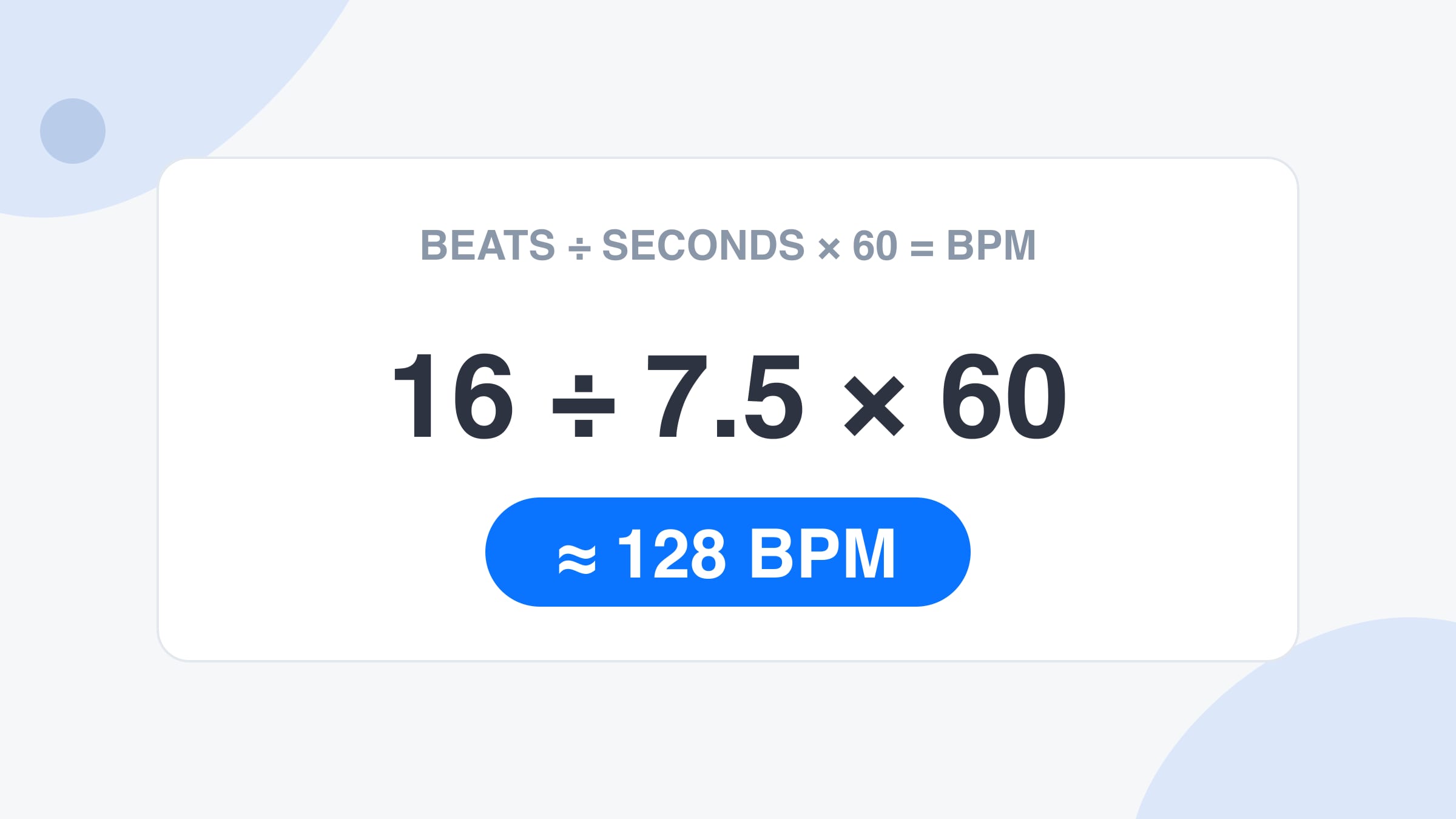
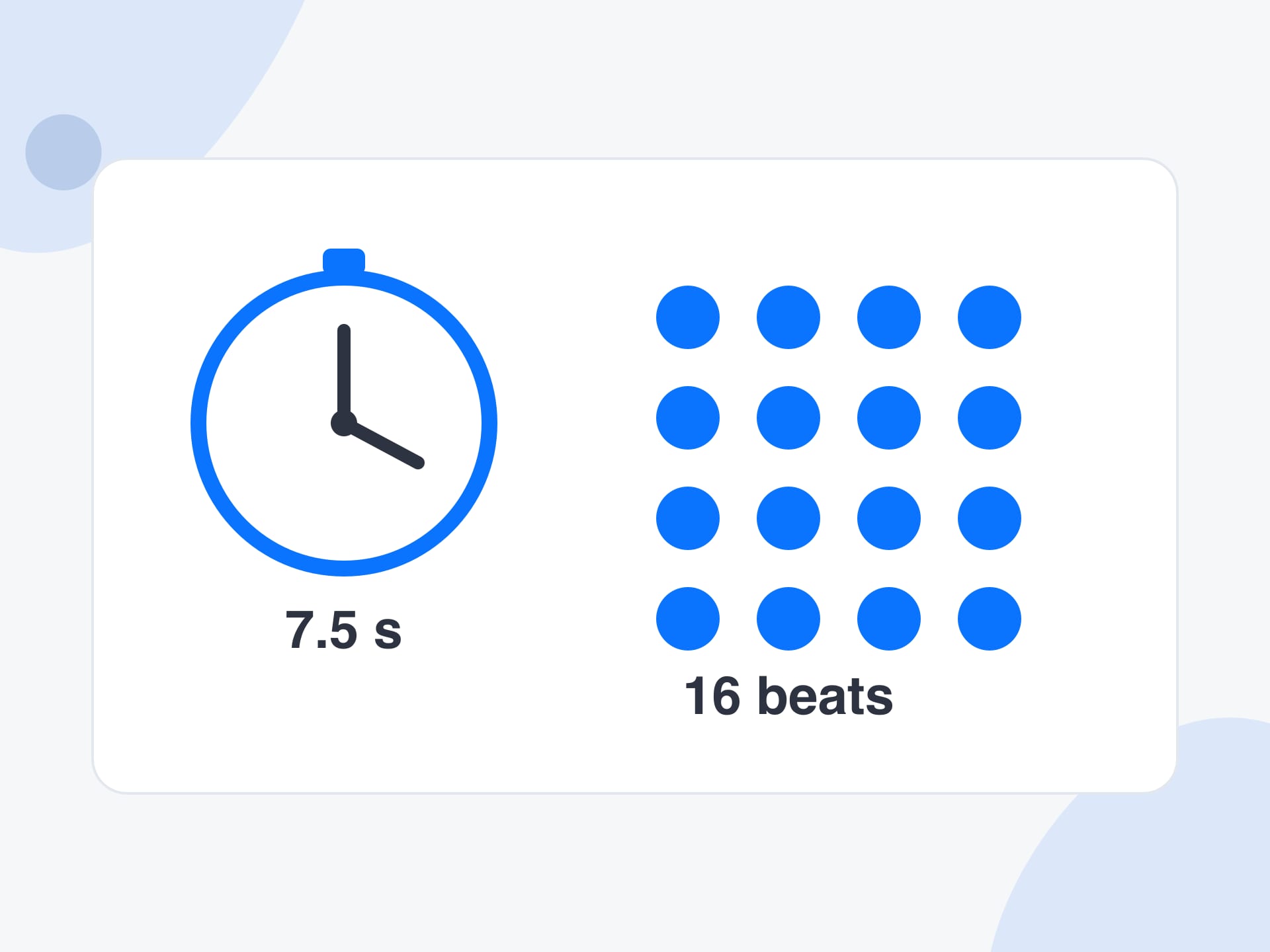
A BPM calculator turns the numbers you already have into a tempo. BPM means beats per minute, and it is simply how many beats fit in sixty seconds. If you counted 16 beats in 7.5 seconds, the tempo is 16 divided by 7.5, times 60, or about 128 BPM. This BPM calculator does that sum, and several like it, as you type.
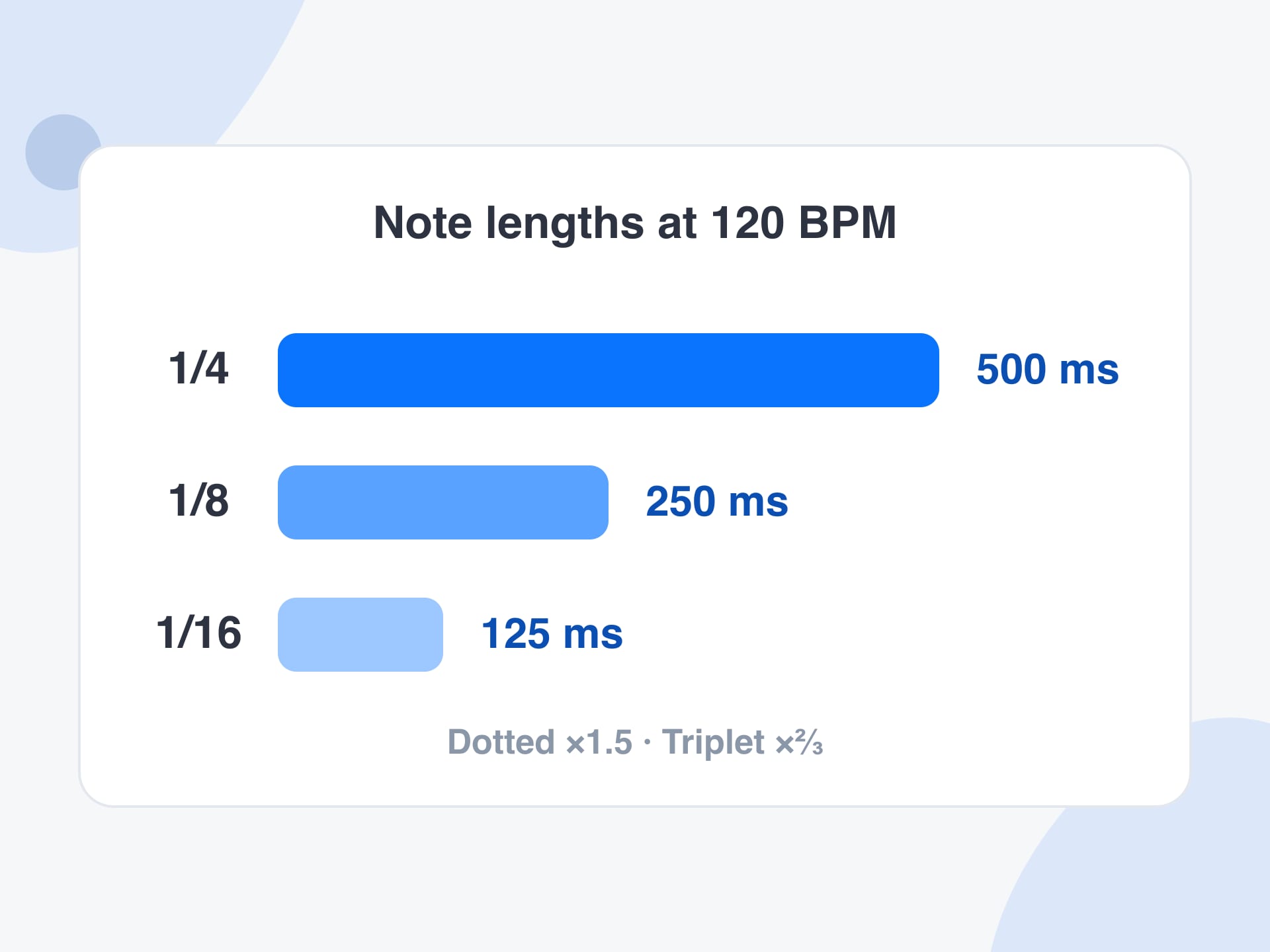
The same arithmetic runs in both directions. If you know the tempo, the length of one beat is 60,000 divided by the BPM in milliseconds, so 120 BPM is a beat every 500 ms. That is the figure behind delay times, gate lengths and LFO rates, which is why the BPM calculator fills a table of note lengths under every result.
It is a different tool from the BPM finder. The finder listens to audio and measures the tempo. The BPM calculator needs no audio: you give it a count and a time, a loop and its length, or two tempos, and it does the maths. Use them together, and nothing you type or measure leaves your browser.
How to use
Step 1
Play the song and count beats for a stretch of seconds, using a clock or a stopwatch. Enter the number of beats and the seconds on the Beats and time tab, and the BPM calculator shows the tempo straight away.
Step 2
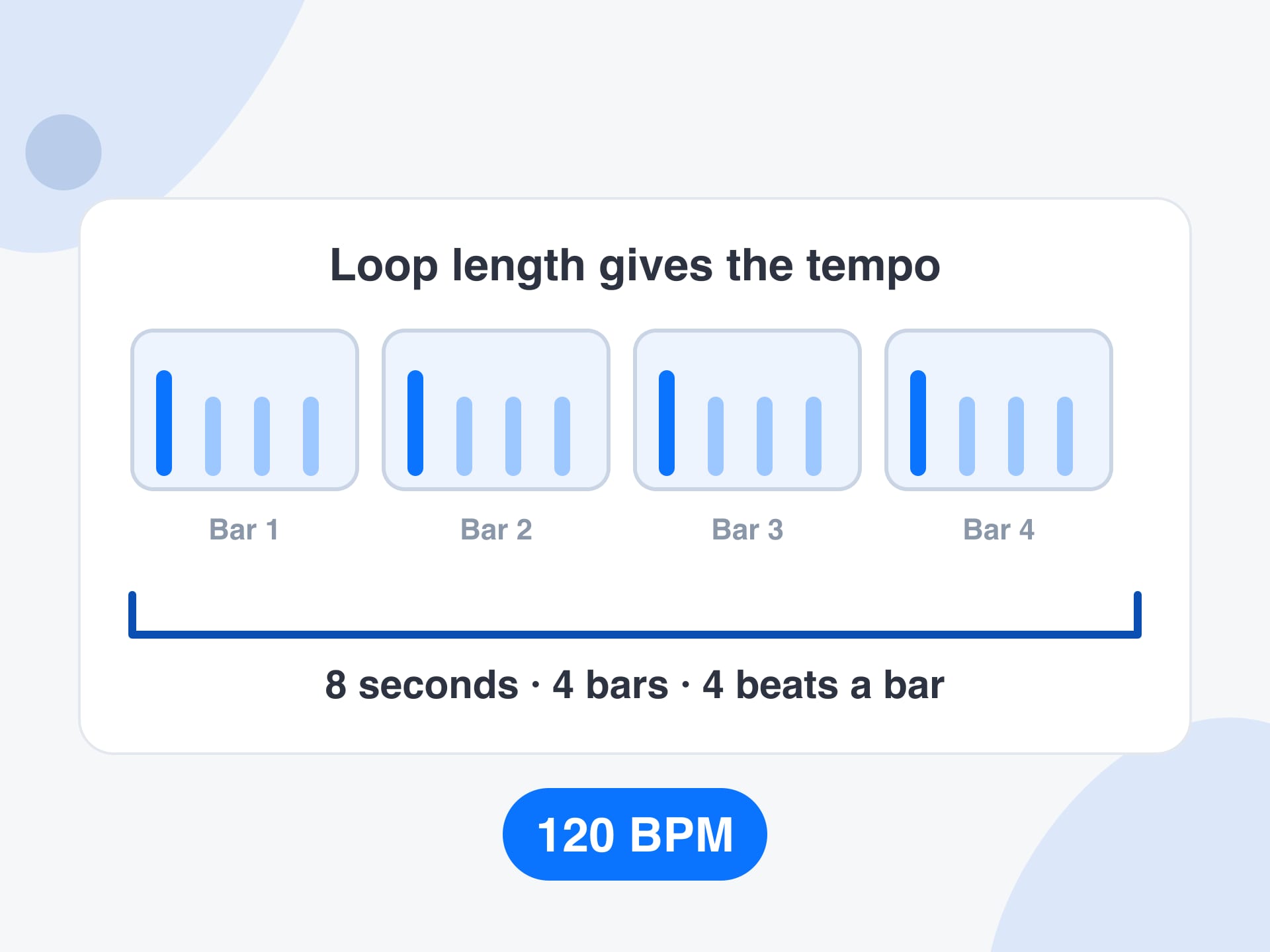
When you have a loop or a sample, count its bars and note its length in seconds. Pick the beats per bar on the Loop or bars tab and enter both numbers. The BPM calculator gives the tempo that fits.
Step 3
Copy the BPM, or press ÷2 or ×2 if you counted at the wrong speed. Then use the note table under the result for delay times and gates. Dotted and triplet columns give the swung and rolling lengths in milliseconds.
Why use it
What a quick calculator gives you that mental arithmetic and a search for a formula do not.
A BPM calculator works from numbers you can get anywhere, such as a count and a clock. It suits a song on a speaker, a sample with a known length or a tempo someone texted you, where nothing is available to analyse.
Beats to BPM, milliseconds to BPM, loop length to tempo and speed change are small jobs that come up all the time. The BPM calculator puts them in four tabs, so you stop reaching for a phone calculator and a half-remembered formula.
Measure a song with the BPM finder, then bring the tempo here to get delay times, loop lengths or a speed change. Both run in your browser, so there is nothing to upload between them.
Each result lists the milliseconds per beat and the beats per second, so you can see how the number was reached. That makes the BPM calculator easy to check and easy to teach from.
Reference
A quick lookup for tempos you meet often. The beat length is 60,000 divided by the BPM, and a bar of 4/4 is four beats long. Values are rounded.
| BPM | One beat (ms) | One 4/4 bar (seconds) |
|---|---|---|
| 60 | 1000 | 4.00 |
| 80 | 750 | 3.00 |
| 90 | 667 | 2.67 |
| 100 | 600 | 2.40 |
| 110 | 545 | 2.18 |
| 120 | 500 | 2.00 |
| 128 | 469 | 1.88 |
| 140 | 429 | 1.71 |
| 150 | 400 | 1.60 |
| 174 | 345 | 1.38 |
Limits and tips
Use cases
Four real jobs, each as a small recipe.
Turning a project tempo into a delay time that sits in the groove, using the BPM calculator instead of a conversion chart.
Input: A project tempo such as 124 BPM
Setting: Type the BPM on the Milliseconds tab and read the dotted eighth column
Output: A delay time of about 363 ms to copy into the plugin
Caveat: Some plugins want a note value instead, so check which unit your delay uses.
Working out the speed of a drum break or a vocal phrase so it can be matched to a project.
Input: A loop of four bars that lasts 8.6 seconds
Setting: Open the Loop or bars tab, enter 4 bars, 4 beats and 8.6 seconds
Output: A tempo of about 111.6 BPM
Caveat: Trim the loop to whole bars first, or the answer will be off.
Seeing how far a track must be pushed to match the next one, and what that does to its pitch.
Input: Two tempos, such as 124 and 128 BPM
Setting: Use the Speed change tab with the current and target BPM
Output: About 3.2% faster and a pitch change of 0.55 semitones if not time-stretched
Caveat: Many players keep the key locked, which removes the pitch change.
Working out a slower practice tempo for a student and how long a bar lasts at that speed.
Input: A target tempo such as 72 BPM
Setting: Type the BPM and read the milliseconds per beat in the result
Output: About 833 ms per beat, so a bar of 4/4 lasts around 3.3 seconds
Caveat: Add a few BPM at a time as the student improves.
More tools
Each one runs in your browser too, so you can move from one job to the next without uploading anything.
Measure the BPM of a song from a file, then bring the number here for delay times and speed changes.
Tap along to music you can only hear and get a BPM, with a click to play it back.
Find the musical key and Camelot code of a song for harmonic mixing.
See the tempo of a song with its classical term, such as Andante or Allegro.
FAQ
Count the beats over a known time and divide by the seconds, then multiply by 60. Sixteen beats in 7.5 seconds is 16 divided by 7.5, times 60, which gives 128 BPM. This BPM calculator does that for you.
Divide 60,000 by the length of one beat in milliseconds. A beat of 500 ms is 60,000 divided by 500, which is 120 BPM. Type the milliseconds on the Milliseconds tab and the calculator shows the BPM at once.
Multiply the number of bars by the beats in each bar, then divide by the loop length in seconds and multiply by 60. Four bars of four beats lasting eight seconds is 120 BPM. Use the Loop or bars tab.
A quarter note lasts 60,000 divided by the BPM in milliseconds, an eighth note is half of that, and a sixteenth is a quarter. The table under the result lists straight, dotted and triplet times for every note.
Divide the BPM by 60. A tempo of 120 BPM is two beats per second, and 90 BPM is 1.5 beats per second. The BPM calculator shows beats per second under every result.
Divide the target BPM by the current BPM and subtract one. Going from 124 to 128 BPM is about 3.2% faster. The Speed change tab shows the percentage and the pitch shift for varispeed playback.
Only if the speed changes without time-stretching, as on a turntable or tape. Then a 6% speed change moves pitch by about one semitone. Software with key lock stretches time instead and leaves the pitch alone.
A dotted note is one and a half times as long as the straight note, which gives a rolling feel. A triplet is two thirds as long, which fits three notes where two would normally go.
Yes. On the Loop or bars tab choose 3, 5, 6 or 7 beats in a bar, then enter the bars and the length. The calculator counts beats, so the tempo is right whatever the time signature is.
It depends on how long you count and how cleanly you start and stop. Counting thirty-two or more beats usually lands within a beat per minute. For decimals, measure the track with the BPM finder instead.
Yes. It is free to use with no signup and no limit on how many calculations you run. All the maths happens in your browser, so nothing you type is sent to a server.
It accepts anything from 1 to 1000 BPM. Outside that range, or with an empty or zero box, it shows no result instead of a misleading one, so a typing slip never gives you a nonsense tempo.
Enter your numbers and read the tempo, the milliseconds per beat and a table of note lengths. Nothing leaves your device.
Calculate a BPM nowYour feedback helps us make SongBPMFinder.com better.

Thank you for your feedback